Welcome to the 2026 expert consumer guide published by ShopZone Australia. Navigating the modern retail marketplace requires verified technical intelligence, authentic durability benchmarking, and transparent pricing. In this guide, our specialists break down engineering specifications, Australian standards compliance, practical maintenance routines, and buyer comparisons so you can make confident decisions.
📑 Table of Contents • Quick Navigation
- The Remote Work Reality: Ergonomics as an Australian Health Priority
- Biomechanical Spine Alignment & Ergonomic Principles
- Evaluating Mesh vs Cushion Seating for Hot Australian Summers
- Critical Adjustment Mechanisms: Tilt-Tension, 3D Armrests & Lumbar Cradles
- Motorized Standing Desks: Dual-Motor Stability & Active Workflows
- Sit-Stand Transition Ratios: Optimal Daily Ergonomic Schedules
- Monitor Positioning, Focal Distance & Preventing Digital Eye Strain
- Cable Management & Workplace Organization for Mental Clarity
- Preventing Chronic Workplace Repetitive Strain & Foot Fatigue
- Workstation Investment: Durability, ACL Warranties & Long-Term Health ROI
1. The Remote Work Reality: Ergonomics as an Australian Health Priority
Hybrid and remote work models across Australia have made dedicated home office ergonomic calibration vital. Clinical guidelines from Safe Work Australia confirm that poor chair posture directly drives chronic neck, shoulder, and lumbar disc strain.
- Prevent Chronic Strain: Proper pelvic support relieves pressure on L1-L5 lumbar discs.
- Boost Daily Focus: Eliminate midday fatigue caused by restricted blood flow and slouching.
- Tax-Deductible Setup: Claim eligible furniture under ATO work-from-home rules.
- Whole-Home Health: Pair with outdoor living spaces for balanced breaks.
2. Biomechanical Spine Alignment & Ergonomic Principles
Achieving neutral posture reduces musculoskeletal fatigue by distributing weight evenly across structural skeletal points rather than tense muscles.
- 90-90-90 Rule: Hips, knees, and elbows should rest at approximately 90° to 100° angles.
- Feet Flat on Floor: Keep soles grounded or use an angled footrest to prevent under-thigh pressure.
- Eye-Level Screens: Position the top third of monitors at eye level to eliminate forward head tilting.
- Pelvic Tilt Control: A waterfall seat edge prevents nerve pinch behind your knees.
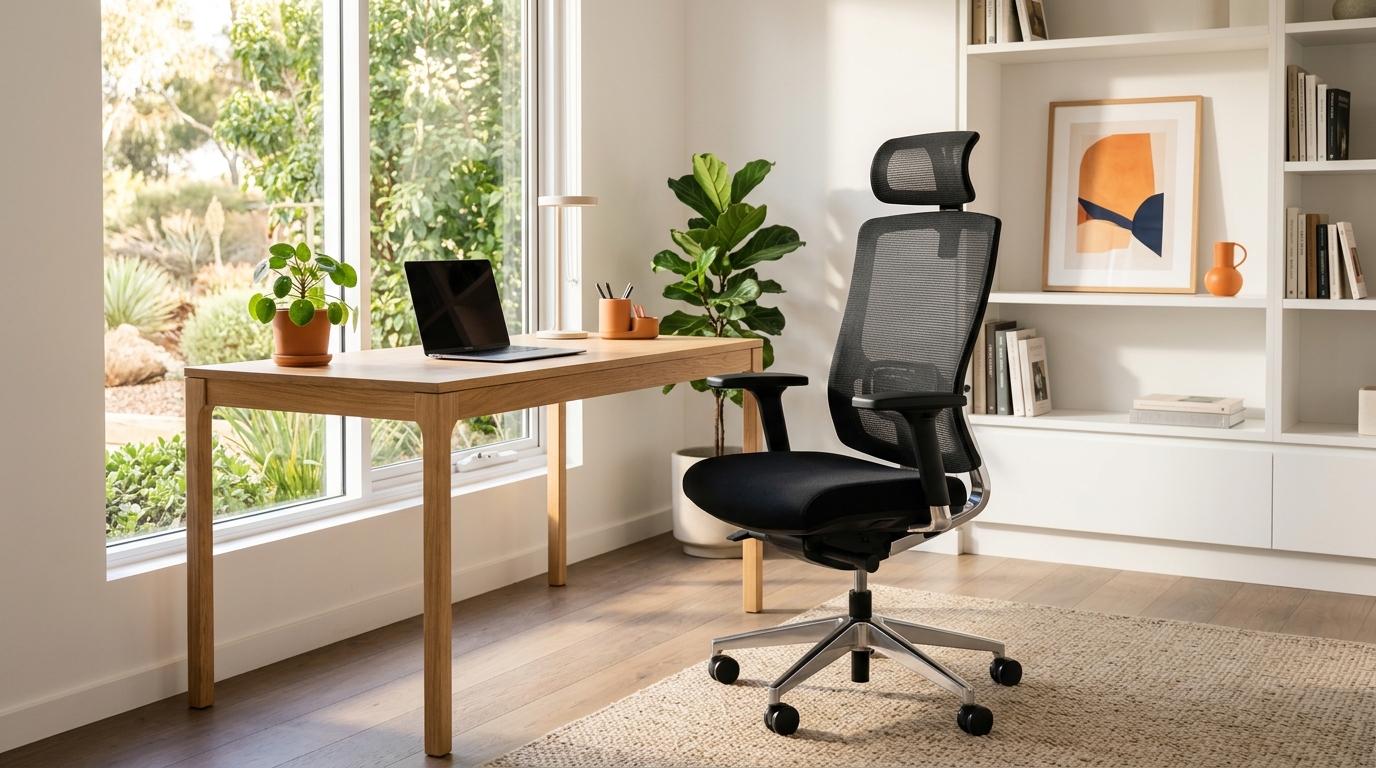
Executive Ergonomic High-Back Mesh Office Chair with 3D Lumbar
Commercial-grade construction engineered for Australian residential conditions.
3. Evaluating Mesh vs Cushion Seating for Hot Australian Summers
Selecting office upholstery requires balancing long-term spinal support with thermal breathability during hot Australian summer afternoons.
- Tensile Mesh Flow: Allows constant multidirectional airflow, eliminating sweat and heat buildup.
- High-Density Molded Foam: Maintains seat cushion elasticity for years without sagging or bottoming out.
- Avoid Cheap PU Leather: Synthetic vinyl cracks, peels, and traps heat in humid coastal climates.
- Explore Chairs: Browse ShopZone's certified ergonomic seating engineered for long work sessions.
4. Critical Adjustment Mechanisms: Tilt-Tension, 3D Armrests & Lumbar Cradles
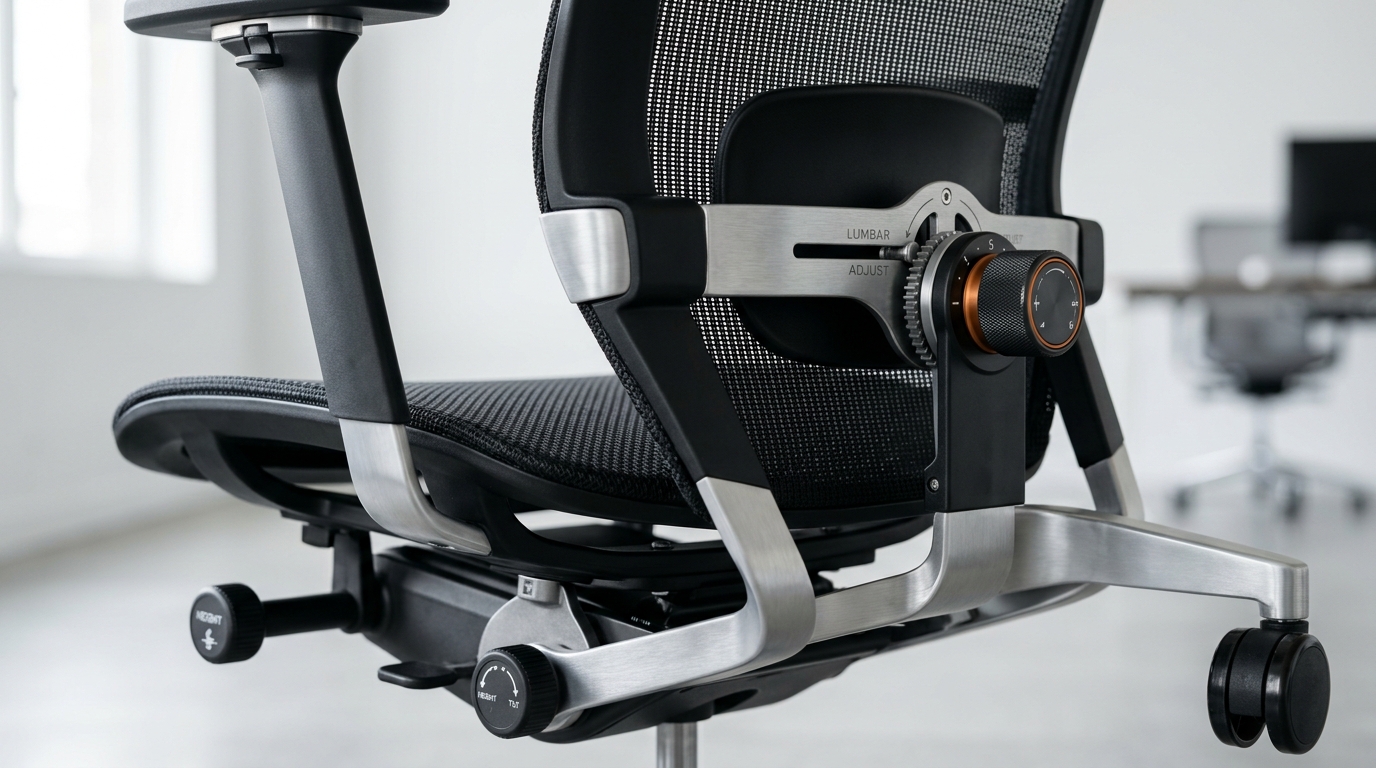
A truly ergonomic chair must adjust precisely to your body's unique proportions rather than forcing you into a rigid mold.
- Synchronous Tilt (2:1): Backrest reclines two degrees for every one degree of seat tilt, keeping feet grounded.
- Dynamic Lumbar Cradle: Adjusts in height and depth to cradle your lumbar curve seamlessly.
- 3D Armrest Movement: Height, forward-back depth, and angle pivot eliminate shoulder shrugging.
- Tilt Tension Dial: Customizes recline resistance to match your exact body weight.
Dual-Motor Electric Height Adjustable Standing Desk Frame
Premium performance configuration delivering exceptional value and verified reliability.
5. Motorized Standing Desks: Dual-Motor Stability & Active Workflows
Electric sit-stand desks allow seamless transitions between sitting and standing, stimulating circulation and keeping energy levels high.
- Dual-Motor Power: Lifts heavy dual-monitor setups smoothly and quietly under 45 decibels.
- 3-Stage Telescopic Legs: Provides rock-solid stability even at maximum standing heights over 120 cm.
- Digital Memory Presets: Save your exact seated and standing heights for instant one-touch adjustment.
- Anti-Collision Sensors: Stops and reverses motion automatically if an obstacle is encountered.
6. Sit-Stand Transition Ratios: Optimal Daily Ergonomic Schedules
Standing all day is just as tiring as sitting all day. Balance is the key to maintaining physical stamina and focus.
- 45/15 Rhythm: Sit for 45 minutes of deep focus; stand for 15 minutes of calls and quick tasks.
- Lunch Walk Reset: Step away from screens during lunch to reactivate large leg muscle groups.
- Gentle Weight Shifts: Shift balance between left and right feet while standing to engage core stabilizers.
- Consistent Routine: Aim for 2 to 3 cumulative standing hours per 8-hour workday.
7. Monitor Positioning, Focal Distance & Preventing Digital Eye Strain
Correct monitor mounting prevents unconscious neck cranery, headaches, and digital eye strain during intense screen sessions.
- Arm's Length Distance: Set displays 50 to 70 cm away from your eyes for effortless focal tracking.
- Gas-Spring Monitor Arms: Effortlessly adjust height, tilt, and rotation to align multi-screen displays.
- 20-20-20 Rule: Every 20 minutes, look at an object 20 feet away for 20 seconds to relax eye lenses.
- Glare Reduction: Angle screens perpendicular to windows to avoid harsh reflective glare.
Heavy-Duty Gas Spring Dual Monitor Arm Mount (17"-32")
Comprehensive full-capacity solution for maximum convenience and durability.
8. Cable Management & Workplace Organization for Mental Clarity
A clean, tangle-free workstation prevents snagging hazards during desk height adjustments and promotes mental focus.
- Under-Desk Raceways: Conceal power boards, bulky laptop bricks, and adapter cables cleanly.
- Flexible Cable Spines: Guide power and data cables smoothly from floor to desktop without pinching.
- Magnetic Cable Clips: Keep phone charging cables readily accessible without slipping behind the desk.
- Clutter-Free Surface: A minimal desk surface dramatically reduces visual distractions.
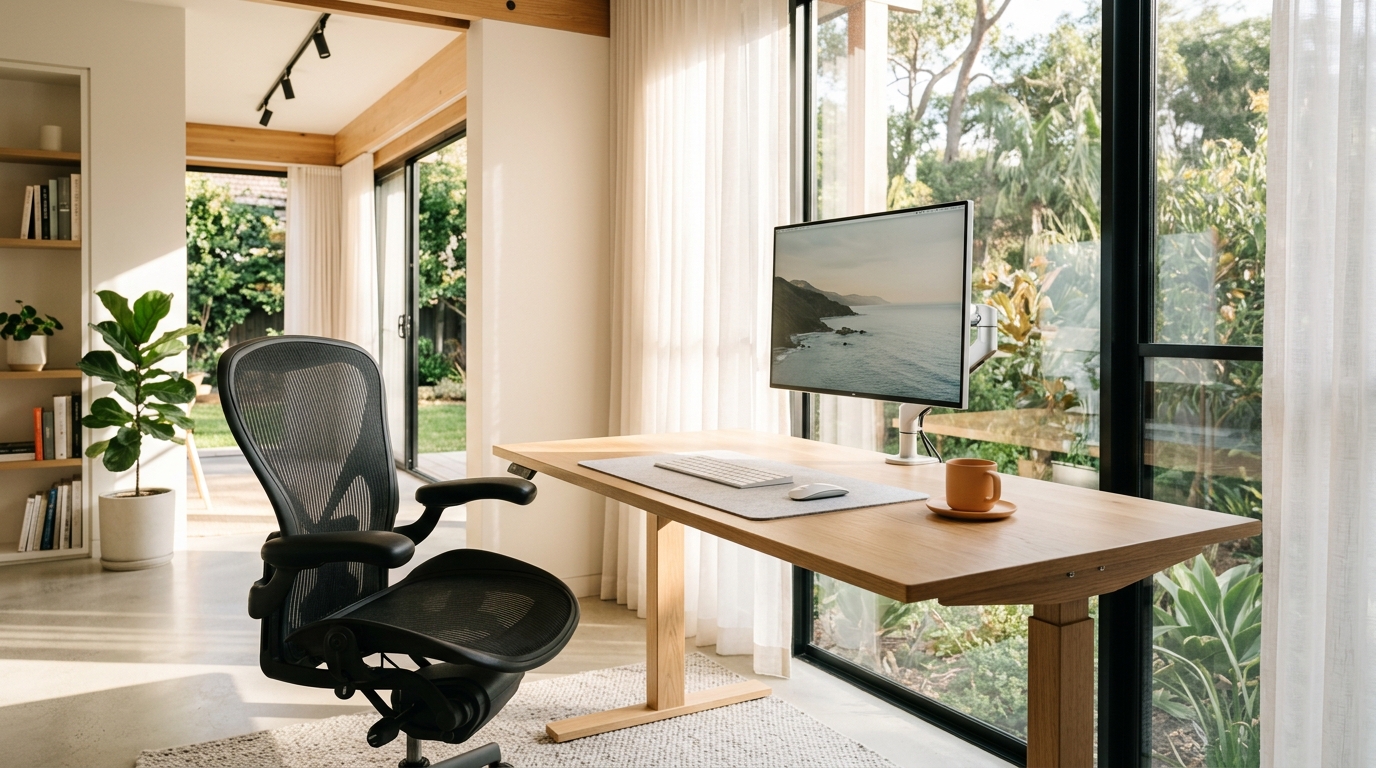
9. Preventing Chronic Workplace Repetitive Strain & Foot Fatigue
Fine-tune peripheral accessories to protect wrists, forearms, and feet from repetitive stress injuries.
- Ergonomic Vertical Mouse: Maintains a natural handshake wrist angle, preventing carpal tunnel pressure.
- Mechanical Keyboards: Low-actuation switches reduce finger impact shock over thousands of keystrokes.
- Anti-Fatigue Foot Mats: Encourages micro-movements in calves and ankles to reduce leg fatigue.
- Wrist Rests: Padded memory foam rests support palms between active typing bursts.
💡 Frequently Asked Questions • Expert Answers
❓ What is the clinical difference between active lumbar cradling and static cushions? +
Static cushions push the spine forward into hyper-extension without adapting. Active biomechanical cradles adjust to your micro-movements, providing continuous sacral support as you recline or type.
❓ What is the optimal sit-to-stand daily schedule? +
Ergonomists recommend a 3:1 or 2:1 sitting-to-standing ratio: 45 minutes seated in optimal posture followed by 15 minutes standing, alternating throughout the day to stimulate blood flow without fatigue.
❓ Why is breathable mesh superior to PU leather for Australian summers? +
Mesh allows 360° air circulation, dissipating body heat and sweat. PU leather and vinyl trap heat against your back, causing thermal discomfort and fidgety posture during warm workdays.
❓ What weight capacity should a commercial-grade ergonomic office chair support? +
Commercial chairs should support at least 135 kg to 150 kg with BIFMA X5.1 certification, utilizing heavy-duty Class-4 explosion-proof gas cylinders and reinforced aluminum bases.
❓ Are home office ergonomic chairs tax deductible under Australian ATO rules? +
Yes, Australian remote professionals can claim work-related home office furniture either under the ATO revised fixed-rate method or through actual cost depreciation.
10. Workstation Investment: Durability, ACL Warranties & Long-Term Health ROI
Investing in commercial-grade office furniture pays substantial daily dividends in personal health, comfort, and professional stamina.
- Commercial BIFMA Rating: Built to withstand 8+ hours of daily commercial use for years.
- Local Australian Warranty: Backed by comprehensive customer support and fast domestic dispatch.
- Check Weekly Deals: Explore ShopZone's featured deals for package pricing on desks and chairs.
- Long-Term Value: A quality ergonomic chair costs less than 50 cents a day over its operational lifespan.
Shop Authentic Australian Products with Confidence
Enjoy fast tracked courier shipping nationwide, 100% genuine Australian stock with statutory consumer guarantees, and risk-free 30-day returns. Browse our catalog of verified home, outdoor, and lifestyle essentials today.